
Introduction
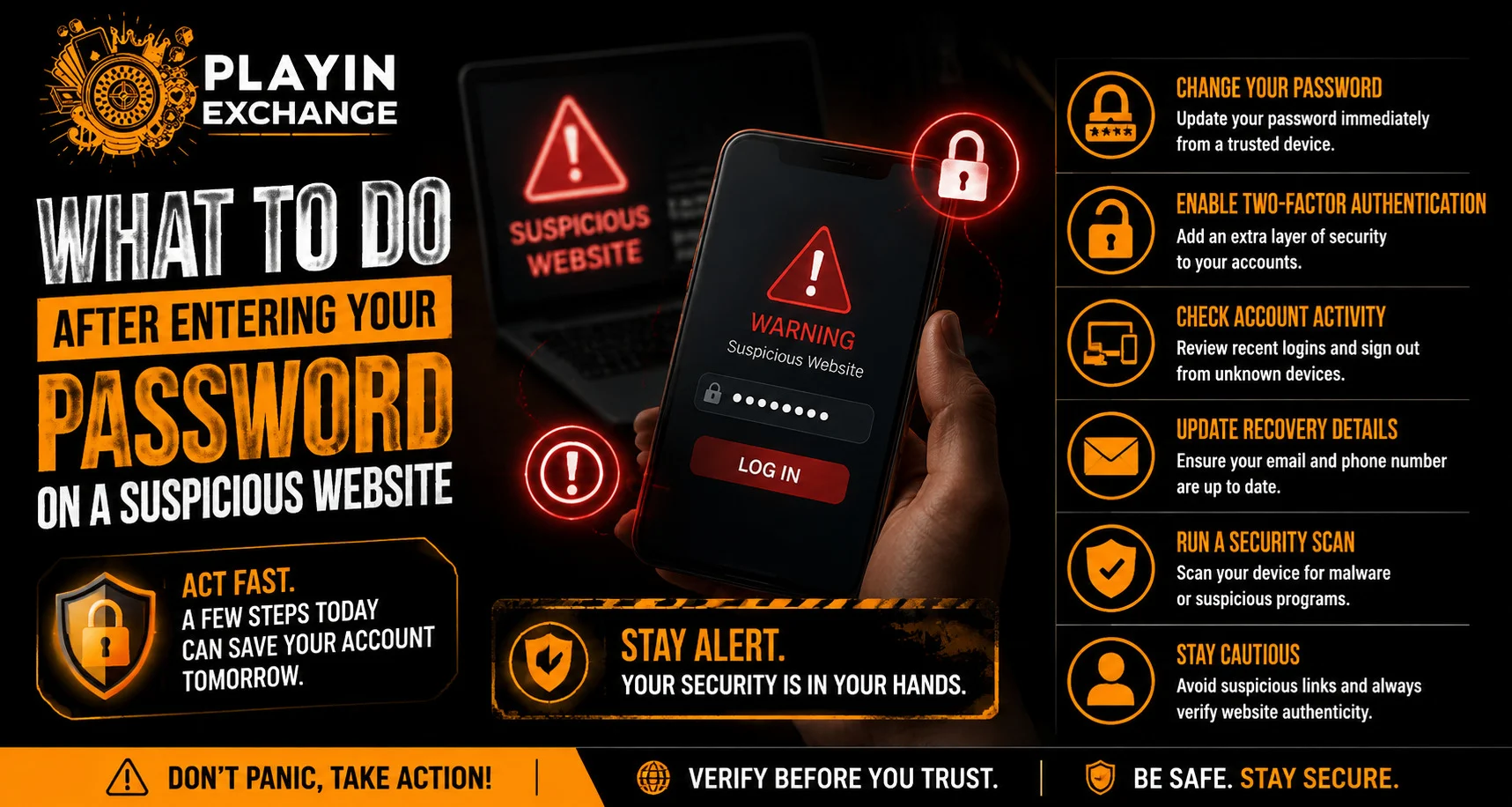
Accidentally entering your password on a suspicious website can feel stressful, but taking the right steps quickly can reduce the risk of unauthorized account access. Fake login pages are often designed to look similar to legitimate websites and may collect usernames, passwords or other sensitive information. For users checking Playexch or other online services, recognizing the warning signs and responding promptly is an important part of account security.
The most important step is to avoid entering any additional information and begin securing the affected account immediately.
Stop Using the Suspicious Website
Once you realise that a website may not be legitimate, stop interacting with it.
Do not:
- Enter additional personal information.
- Submit OTPs or verification codes.
- Download unknown files.
- Install unfamiliar applications.
- Follow more links from the page.
- Give remote access to your device.
Close the suspicious tab or application and avoid returning to the same page.
Change Your Password Immediately
If you entered your password on a suspicious website, change that password as soon as possible through the legitimate account website or official application.
Create a new password that is:
- Unique
- Difficult to guess
- Different from the old password
- Not reused on other websites
Do not simply make a small alteration to the exposed password. A completely different credential is safer.
Change the Password on Other Accounts
Many people reuse passwords across several services. If the same password was used elsewhere, those accounts may also be at risk.
Check accounts that use the same or a similar password and update them with unique credentials.
This is especially important for accounts connected to:
- Banking
- Social media
- Shopping
- Cloud storage
- Other important services
Your email account deserves particular attention because it may be used to reset passwords for other accounts.
Enable Two-Factor Authentication
Two-factor authentication can add another layer of protection even if someone obtains your password.
Depending on the service, additional verification may involve:
- An authenticator application
- A security key
- A one-time code
- Another approved verification method
Enable available security features through the legitimate account settings rather than through links received from unknown sources.
Review Recent Account Activity
After changing your password, check whether someone may already have attempted to access the account.
Review:
- Recent login history
- Active sessions
- Connected devices
- Security notifications
- Account-setting changes
If an unfamiliar device or session appears, use the official security controls to sign it out where possible.
Check Your Email Account
If the suspicious website collected your email password, the situation may affect more than one service.
Check your email account for:
- Unexpected login alerts
- Password-reset messages
- New forwarding rules
- Recovery-information changes
- Unfamiliar sent messages
Protecting your email account can be especially important because attackers may use it to reset passwords for other services.
Be Careful With Follow-Up Messages
After a suspected phishing incident, you may receive messages claiming to offer help. Some may be additional attempts to collect information.
Be cautious with messages that:
- Create urgency
- Ask for your password
- Request an OTP
- Demand payment
- Ask you to install software
- Direct you to another unfamiliar website
Use official websites and support channels when seeking assistance.
Scan and Update Your Device
If you downloaded a file or installed an application from the suspicious website, take additional precautions.
Consider:
- Updating the operating system.
- Updating the browser.
- Removing unfamiliar applications.
- Running appropriate security checks.
- Reviewing browser permissions.
- Restarting the device.
Simply entering a password does not necessarily mean malware was installed, but downloading unknown software introduces additional risk.
Check Financial Accounts if Relevant
If you entered payment information, banking credentials or other financial details on the suspicious page, contact the relevant bank or payment provider through its official channel.
Monitor your account for unusual activity and follow the institution’s recommended security procedures.
Never use a phone number or link provided by the suspicious website to report the problem.
Avoid Reusing the Compromised Password
Once a password has been entered on a suspicious website, treat it as potentially exposed.
Do not continue using it because:
- The website may have stored it.
- Attackers may attempt credential-stuffing attacks.
- The password may already be circulating elsewhere.
A unique password for each important account can limit the damage if one credential is exposed.
Safe Account Access
Users checking Playexchange login information should manually open the verified website instead of following an unexpected link. Before entering credentials, confirm the domain and check that the page belongs to the service you intended to access.
This habit can reduce the chance of entering credentials into a fake login page again.
Learn From the Incident
A suspicious-login incident can also help identify what caused the mistake. Think about how you reached the website.
You may have:
- Clicked a message link.
- Followed an advertisement.
- Used an unfamiliar search result.
- Entered a misspelled domain.
- Responded to an urgent notification.
Understanding the route can make it easier to avoid similar scams in the future.
A Simple Recovery Checklist
After entering a password on a suspicious website:
- Close the suspicious page.
- Change the exposed password through the legitimate website.
- Change the same password anywhere else it was reused.
- Enable two-factor authentication.
- Review recent account activity.
- Sign out unfamiliar sessions.
- Check your email and financial accounts when relevant.
- Remain cautious about follow-up messages.
Acting promptly can reduce the opportunity for unauthorized access.
Conclusion
Entering a password on a suspicious website does not guarantee that an account has been compromised, but it should be treated as a potential security incident. The safest response is to stop using the suspicious page, change the exposed password through the legitimate service and review recent account activity.
Users should also update reused passwords, enable additional security features and watch for unusual messages or transactions. A quick and careful response can significantly reduce the potential impact of an exposed password.
FAQs
1. What should I do first after entering my password on a suspicious website?
Close the suspicious website and change the exposed password immediately through the legitimate website or official application.
2. Should I change my password on other accounts?
Yes, especially if the same password was reused elsewhere. Replace it with a unique password on each important account.
3. Should I enable two-factor authentication?
Yes. When available, two-factor authentication can provide additional protection beyond a password.
4. How can I check whether someone accessed my account?
Review recent login history, active sessions, connected devices and security notifications for activity you do not recognize.
5. What if I also entered banking or payment information?
Contact your bank or payment provider immediately through its official contact channel and monitor the account for unusual activity.
6. What if I downloaded something from the suspicious website?
Update your device and browser, remove unfamiliar software and perform appropriate security checks before continuing to use the device for sensitive activities.


